Ledgerly
A Lightweight Point-of-Sale and Inventory Management System for Small Businesses
Overview
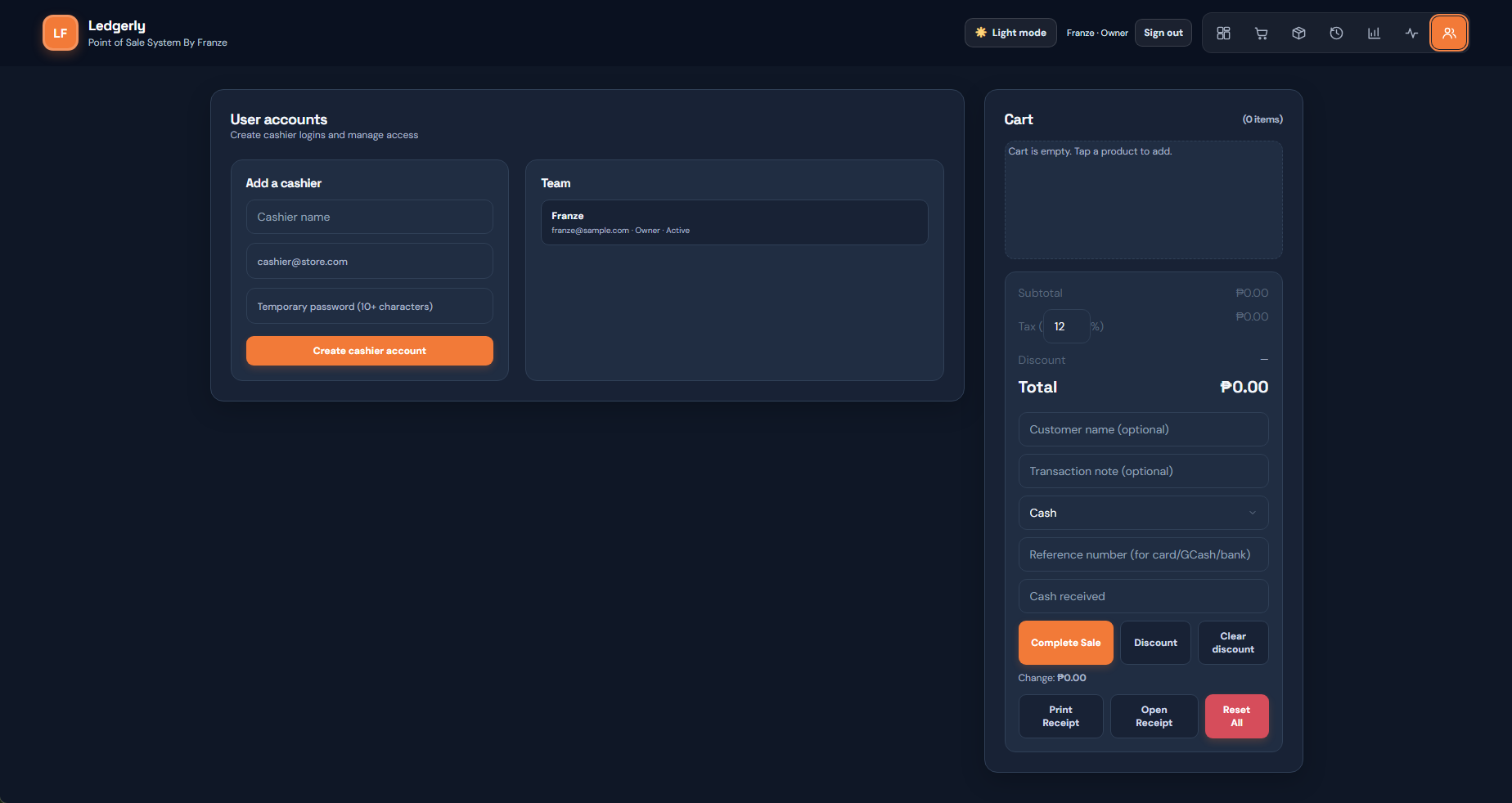
Ledgerly is a lightweight Point-of-Sale (POS) and inventory management system designed to help small businesses manage everyday transactions, products, inventory, payments, sales history, and business reports from a single interface.
The project was created with a practical goal: build a POS experience that focuses on the functionality small retailers actually need without overwhelming users with unnecessary complexity.
Instead of treating the project as simply a sales calculator, I designed Ledgerly around the broader workflow of a small business:
Manage products → Monitor inventory → Process sales → Record payments → Generate receipts → Review sales → Export and back up business data
The result is a centralized POS application that combines front-counter transaction processing with basic back-office management.
The Problem
Small businesses often need more than a simple cash register.
A typical transaction can involve:
- Finding a product
- Checking its price
- Checking available stock
- Adding multiple items to a cart
- Applying discounts
- Calculating tax
- Recording the customer's payment method
- Calculating change
- Completing the transaction
- Updating inventory
- Providing a receipt
- Reviewing the transaction later
At the same time, the business owner needs to keep track of:
- Products
- Stock levels
- Low-stock items
- Sales history
- Revenue
- Payment references
- Business settings
- Reports
- Data backups
Handling these processes separately can create unnecessary work and increase the possibility of mistakes.
The design challenge
The challenge was therefore to create a system where the most common operations could happen from one coherent workflow:
A cashier should be able to complete a sale quickly, while the business owner should still have the tools needed to manage and understand the business.
The Solution
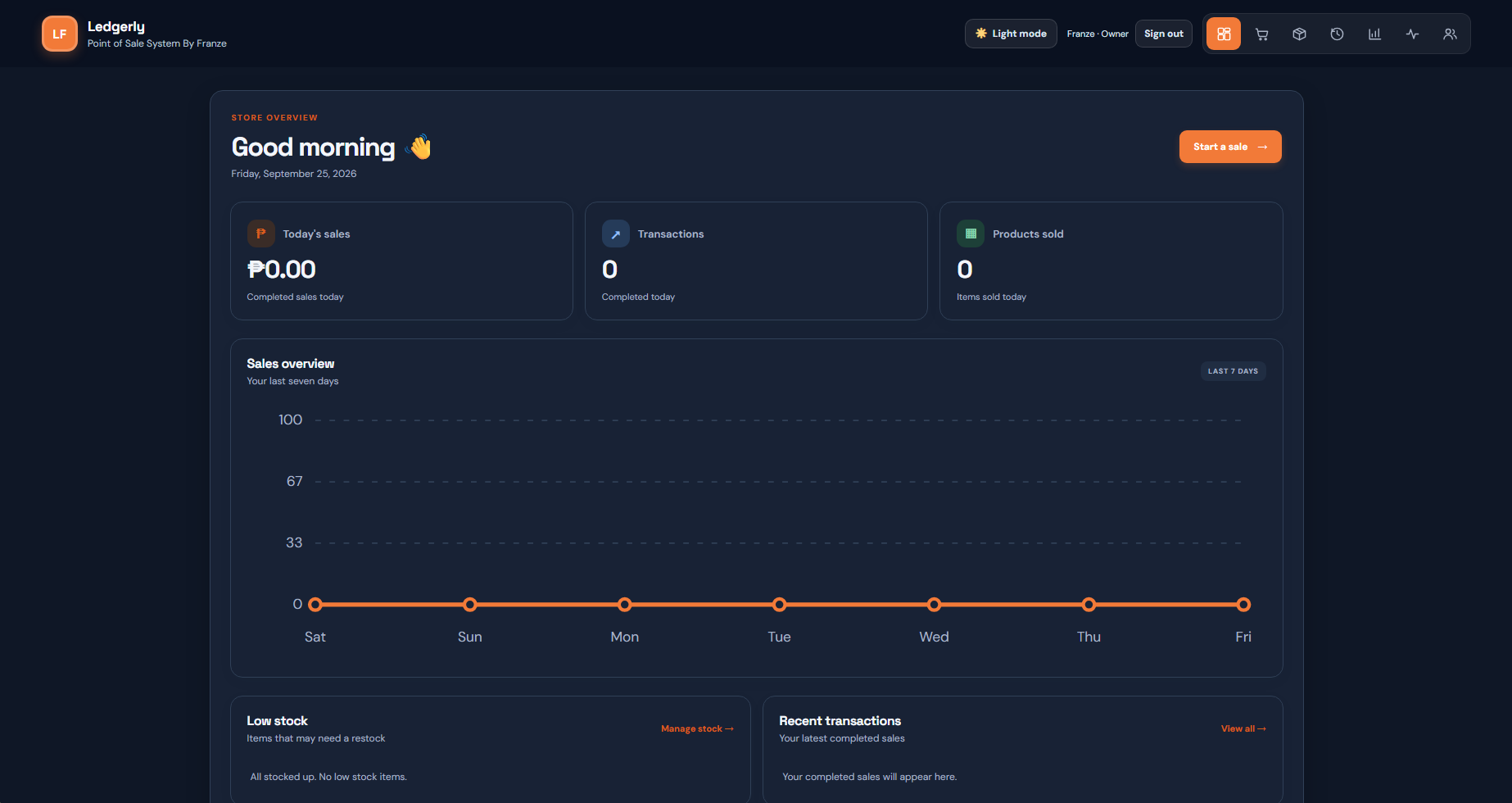
Ledgerly connects the front-counter sale with the supporting work around it. The POS, product catalog, inventory, sales history, reports, receipts, and backup/restore tools sit within one application, so a sale can be followed through to its effect on stock and the business record.
The project is implemented as a web application using HTML, CSS, and JavaScript. Its interface is divided into focused work areas, with checkout kept central and management tasks available alongside it.
Key Features
- Product catalog, stock tracking, and low-stock visibility
- Checkout with discounts, payment handling, change calculation, and receipts
- Sales history and business reporting
- Business settings and data backup/restore
Project Goals
The primary goals for Ledgerly were:
1. Create a functional POS workflow
The application needed to support the complete process from selecting products to completing a sale.
2. Combine POS and inventory management
Products and stock should not exist independently from sales. Completing a transaction should be connected to inventory management.
3. Support different payment methods
The system should accommodate common payment methods such as cash and digital/card-based payments.
4. Make sales information accessible
Users should be able to review previous transactions instead of treating each sale as an isolated event.
5. Provide basic business reporting
Business owners should have a way to export and back up their operational data.
6. Keep the interface simple
The application should remain approachable for users who are not technically sophisticated.
Product Architecture
Ledgerly is organized around several major areas:
POS
The primary transaction interface.
Users can:
- Search for products
- Add products to a cart
- Review quantities
- Calculate subtotal
- Apply tax
- Apply discounts
- Enter customer information
- Select payment methods
- Enter payment references
- Record cash received
- Calculate change
- Complete the sale
- Print or open receipts
The live application exposes these controls directly in the POS workflow.
Product Management
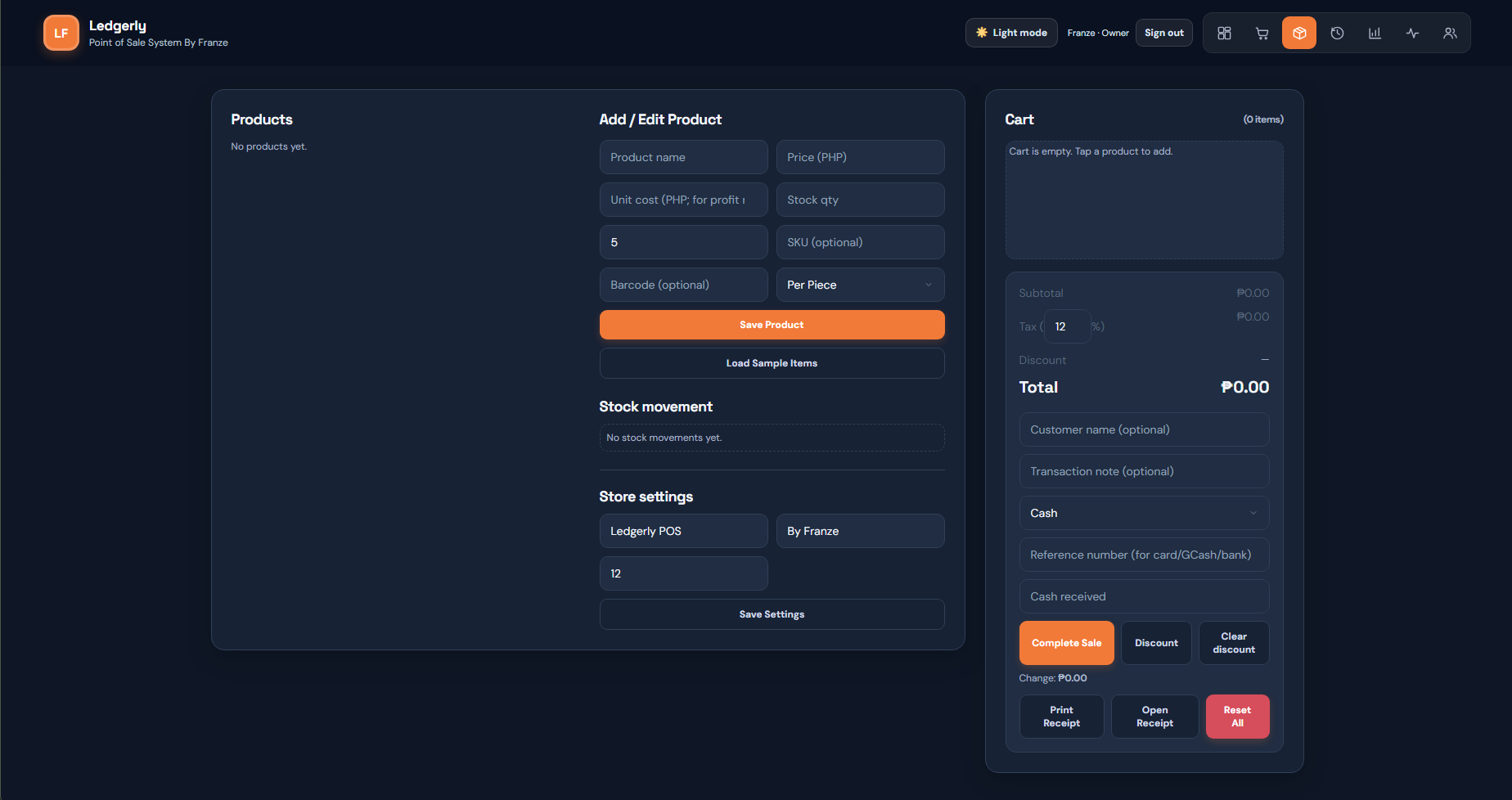
Ledgerly provides a dedicated product-management workflow for creating and editing inventory items.
A product can contain information such as:
- Product name
- Price
- Stock quantity
- Low-stock threshold
- SKU
- Barcode
- Product category/type
The application also includes sample-item loading, making it easier to populate the system during development or demonstration.
Inventory
Inventory management is connected to the product system and sales workflow.
The application provides functionality for stock quantities and stock movement, allowing the POS to act as more than a simple checkout interface.
A low-stock threshold can also be configured for products, providing the foundation for identifying inventory that needs replenishment.
Sales History
Every completed transaction can become part of the business's sales history.
The sales-history area provides users with a historical view of transactions and includes functionality for downloading sales information as a PDF.
The application also displays a daily sales total, giving users a quick overview of the day's activity.
Reports & Data Management
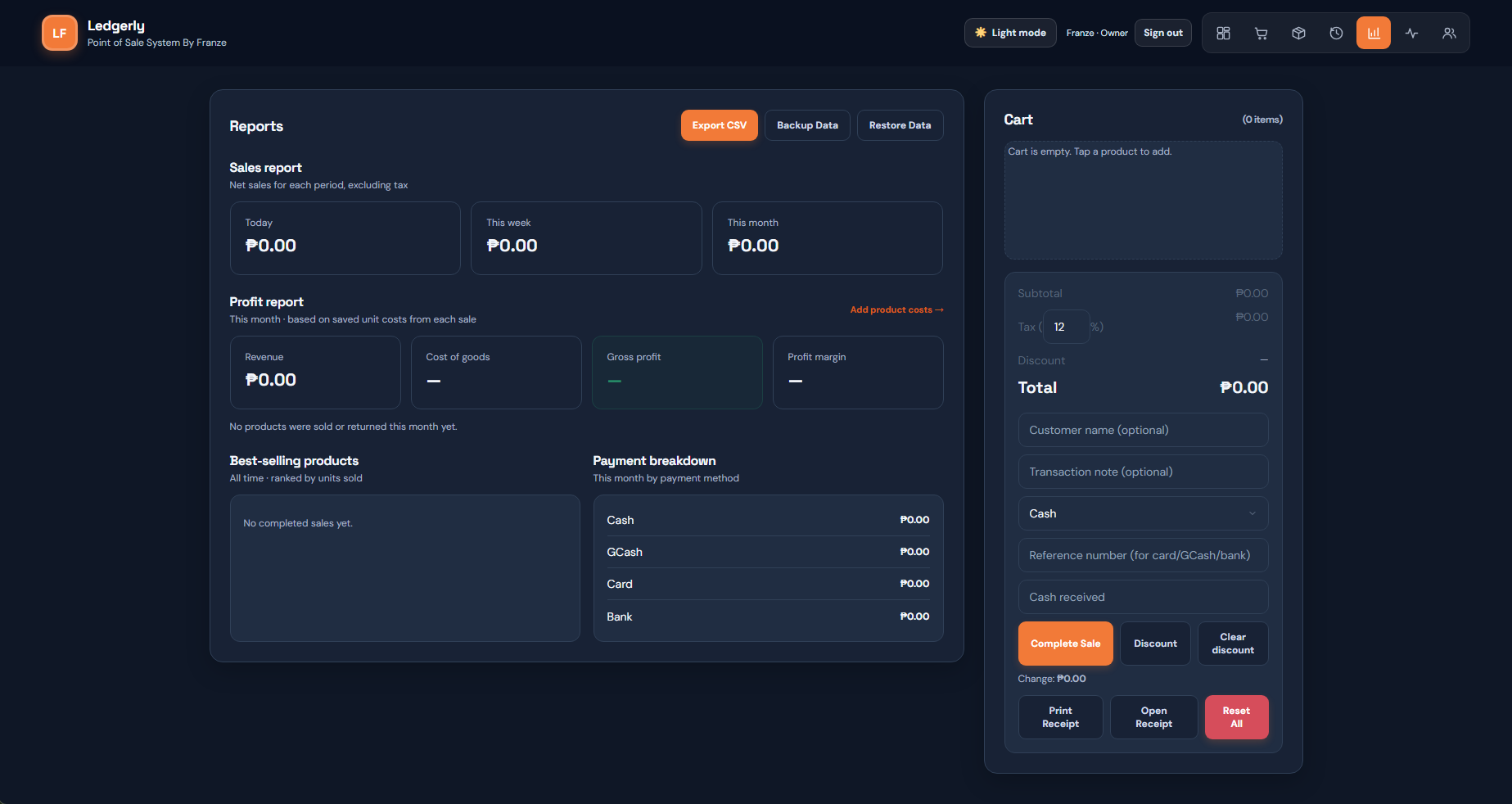
Ledgerly includes several tools intended for business data management:
- CSV export
- Data backup
- Data restoration
This is particularly important for a business application because operational data should not be trapped inside the interface.
The export and backup functionality gives users ways to take their business information outside the application.
Checkout Workflow
One of the most important parts of Ledgerly is the checkout experience.
The workflow is designed around the sequence a cashier naturally follows.
Step 1 — Find a product
The cashier can search the product catalog rather than manually entering product information for every transaction.
Step 2 — Build the cart
Products are added to the cart and quantities can be reviewed before checkout.
Step 3 — Review totals
The system calculates:
Subtotal → Tax → Discount → Total
This keeps the financial calculation visible before the transaction is finalized.
Step 4 — Enter transaction information
The cashier can optionally record:
- Customer name
- Transaction notes
- Payment method
- Payment reference
Step 5 — Process payment
For cash transactions, the cashier can enter the amount received.
Ledgerly then calculates the customer's change.
Step 6 — Complete the sale
Once the transaction is completed, the sale becomes part of the system's sales history.
Step 7 — Receipt
The user can print or open the receipt after completing the transaction.
This creates a complete loop:
Product → Cart → Payment → Sale → Receipt → Sales History
Discount System
Ledgerly includes a dedicated discount workflow rather than forcing users to manually alter prices.
The current interface provides two discount options:
- PH Law 20%
- Owner's Discount
The owner discount allows the user to enter a fixed PHP amount.
This design demonstrates an important principle in business software:
Discounts should be represented as transaction rules rather than arbitrary price changes.
This preserves the distinction between the product's original price and the adjustment applied to a particular transaction.
Payment Handling
The POS supports payment-related information directly inside the checkout workflow.
The interface provides:
- Payment method selection
- Reference number
- Cash received
- Change calculation
The reference-number field is particularly useful for non-cash transactions because it creates a place to associate a transaction with an external payment reference, such as a card, GCash, or bank transaction.
This makes the POS more representative of a real-world retail environment than a checkout system that only supports cash.
Receipt System
Receipts are an important part of the transaction lifecycle.
Ledgerly provides both:
Print Receipt
and
Open Receipt
functionality.
The receipt experience is connected directly to the completed transaction, rather than requiring the user to manually recreate the transaction afterward.
The receipt interface also includes customizable store information, allowing the system to represent the business rather than simply generating a generic transaction record.
Store Configuration
Ledgerly separates store-level configuration from individual products.
The application allows users to configure:
- Store name
- Store address
- Default tax percentage
These settings can then be used by the POS and receipt workflow.
This separation is important from a system-design perspective because store configuration is fundamentally different from transactional data.
Data Management
A POS system handles information that can become increasingly valuable as transactions accumulate.
Ledgerly therefore includes data-management functionality beyond the checkout screen.
Export
Users can export report data as CSV.
Backup
Users can create a backup of their application data.
Restore
Previously backed-up data can be restored.
This creates a basic data-management lifecycle:
Create → Use → Export → Backup → Restore
The feature also makes the project more representative of an actual business application rather than a simple frontend demonstration.
Product and Workflow Decisions
1. Dashboard-first workflow
The POS interface places transaction processing at the center of the experience.
Rather than requiring the user to navigate through multiple pages before making a sale, core functionality is immediately accessible.
2. Clear separation of responsibilities
The application separates major business activities into recognizable areas:
POS For processing transactions.
Products For managing inventory.
Sales History For reviewing previous transactions.
Reports For analyzing and managing business data.
This gives the application a clear mental model.
3. Progressive information entry
Not every transaction requires every possible field.
For example, customer name and transaction notes are optional, while payment information can be entered according to the selected payment workflow.
This prevents the checkout process from becoming unnecessarily complicated.
4. Visibility of financial calculations
Instead of hiding calculations, the cart exposes:
- Subtotal
- Tax
- Discount
- Total
- Cash received
- Change
This is particularly important for POS software because the cashier needs to be able to verify the transaction before completing it.
Key Features
Point of Sale
- Product search
- Shopping cart
- Quantity management
- Subtotal calculation
- Tax calculation
- Discount calculation
- Payment processing
- Cash/change calculation
- Customer information
- Transaction notes
- Payment references
- Receipt generation
Product Management
- Add products
- Edit products
- Product pricing
- Stock quantity
- Low-stock thresholds
- SKU
- Barcode
- Product categorization
Inventory
- Stock management
- Stock movement
- Low-stock configuration
Sales
- Sales history
- Daily sales total
- Transaction records
- PDF download
Reporting & Data
- CSV export
- Backup
- Restore
Store Management
- Store name
- Store address
- Default tax configuration
UI
- Dark mode
- Product search
- Demo/sample data
- Cart management
The live application exposes these capabilities through its POS, Products, Sales History, and Reports sections.
Challenges
Challenge 1 — Connecting multiple business processes
A POS isn't simply a collection of forms.
A product created in the inventory system needs to become available to the POS.
A completed sale needs to become part of sales history.
A sale can affect inventory.
A receipt needs to represent the completed transaction.
This means the different features need to behave as one system rather than independent components.
Solution
I structured the application around the transaction lifecycle so that product data, cart data, payment information, sales records, inventory, and receipts are interconnected.
Challenge 2 — Handling transaction calculations
A checkout system has several variables:
Subtotal
↓
Tax
↓
Discount
↓
Final Total
↓
Payment
↓
Change
Each calculation needs to remain consistent throughout the transaction.
For example, applying a discount should change the final payable amount without corrupting the underlying product price.
Solution
The checkout flow treats discounts, tax, payment, and change as transaction-level calculations rather than permanently modifying product data.
Challenge 3 — Designing for both cashier and owner workflows
A cashier primarily needs speed.
A business owner primarily needs visibility.
These are different goals.
The cashier needs:
Search → Add → Pay → Receipt
The owner needs:
Products → Inventory → Sales → Reports → Data Management
Solution
Ledgerly combines these workflows while keeping them separated into logical sections.
Design Philosophy
The central design philosophy behind Ledgerly is:
Keep everyday operations simple while still providing the structure required by a real business application.
This influenced several decisions.
The POS is transaction-focused.
Product management is separated from checkout.
Historical information is separated from active transactions.
Reporting and backup functionality are separated from operational workflows.
The result is an application that can be understood through a small number of clear concepts instead of requiring users to understand the entire system at once.
What I Learned
Building Ledgerly provided experience beyond creating a typical CRUD application.
1. Business software is workflow-driven
A feature is not valuable simply because it exists.
It needs to fit into a workflow.
For example, "cash received" is only useful because it participates in the larger process of completing a sale and calculating change.
2. Data relationships matter
A POS naturally creates relationships between:
Products
→ Cart Items
→ Transactions
→ Payments
→ Receipts
→ Sales Reports
Understanding these relationships was important when designing the application's functionality.
3. Edge cases matter more in transactional systems
Business applications need to account for situations such as:
- Empty carts
- Invalid quantities
- Insufficient stock
- Discounts
- Tax changes
- Different payment methods
- Incorrect cash amounts
- Missing payment references
- Data restoration
- Low-stock products
A POS cannot simply work for the "happy path."
4. Data portability is important
The inclusion of CSV export and backup/restore functionality reinforced the importance of giving users control over their own operational data.
A business should not feel completely locked into the interface that produced its data.
Project Outcome
Ledgerly evolved from the concept of a basic POS into a broader business-management application.
The final product combines:
POS + Inventory + Sales History + Reporting + Receipts + Data Management
into one application.
The project demonstrates my ability to think beyond individual screens and consider how multiple features interact as part of a complete software system.
More importantly, Ledgerly represents an approach to development centered around real business workflows rather than isolated technical features.
Future Improvements
For a production deployment, the next step would be to validate the workflows with small-business users, then prioritize safeguards and operational needs such as multi-user access, durable cloud synchronization, and audit history.
Ledgerly currently provides the foundation for a small-business POS, but there are several areas that could be expanded.
Multi-user accounts
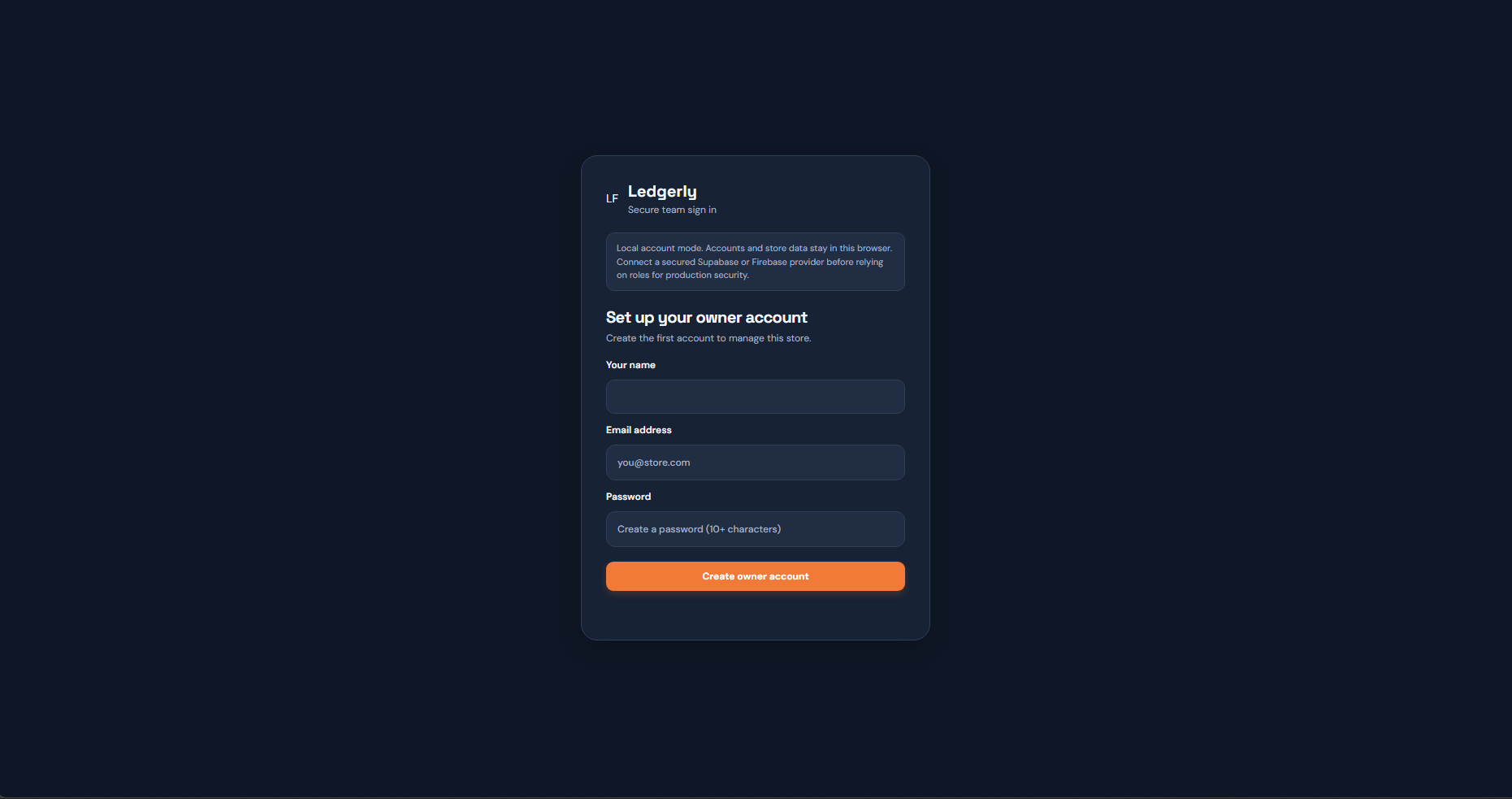
Introduce authentication and role-based access:
Owner
- Reports
- Product management
- Settings
- User management
Cashier
- POS
- Sales
Advanced inventory
Future versions could include:
- Purchase orders
- Suppliers
- Stock receiving
- Stock adjustments
- Inventory valuation
- Inventory movement history
- Expiration dates
- Batch tracking
Advanced reporting
The reporting system could be expanded to include:
- Daily sales
- Weekly sales
- Monthly sales
- Best-selling products
- Sales by category
- Sales by payment method
- Profit margins
- Inventory valuation
- Low-stock reports
Barcode scanning
The existing SKU/barcode fields provide a foundation for integrating physical barcode scanners or camera-based barcode scanning.
This could significantly improve the speed of real-world checkout operations.
Cloud synchronization
A future architecture could allow businesses to synchronize their data across multiple devices.
For example:
Cashier PC
↕
Cloud Database
↕
Owner Laptop / Mobile Device
This would transform Ledgerly from a local-first POS into a multi-device business management platform.
Receipt customization
Future versions could provide configurable receipt templates with:
- Business logo
- Contact information
- Social media
- Custom footer
- Return policy
- QR code
- Transaction QR/reference
Portfolio Takeaway
Ledgerly demonstrates my experience in:
- Full-stack application development
- POS system architecture
- Inventory management
- Transaction processing
- Financial calculations
- Data modeling
- Business workflow design
- CRUD operations
- Reporting
- Data export
- Data backup and restoration
- Receipt generation
- Responsive UI implementation
- Dark-mode interface implementation
- Product-oriented development
Rather than building a collection of disconnected features, I designed Ledgerly around a complete business workflow:
Manage inventory → Sell products → Process payments → Generate receipts → Track sales → Analyze business data
That workflow is the core of Ledgerly.